
A professional-grade suite designed to translate Adam Mancini’s institutional levels into
systematic NinjaTrader and TradingView execution.
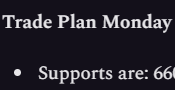
Starting with “Supports are:”, copy all text and levels to the Summary section from the newsletter. Paste the content below to generate your formatted level-set for use in the MP Mancini Indicators for TradingView and Ninjatrader and MPS Mancini automated strategy for Ninjatrader.
Level-Parsing Utility
Paste your Daily Brief text below to generate your systematic level-set.
Notice: This utility is a formatting tool only. Active Mancini subscription required. No proprietary data is stored or redistributed.
Mancini Workstation
Quick Start Guide
1. Parse & Calibrate Paste the text from the latest Adam Mancini Daily Brief into the utility above and click Parse. Once the analysis is complete, click the green button to download your calibrated .csv file.
2. File Deployment: Paste the raw csv data, not the file, into the available inputs in the TradingView and NinjaTrader MP Mancini indicators and the manual input of the MPSMancini automated strategy. Note: I already have this automated for NinjaTrader, but need to reach an agreement with Adam Mancini before public release.
3. Configure the MP Mancini Indicator On your NinjaTrader or TradingView chart, enable the MP Mancini Indicator. This tool visualizes the levels on your price action, providing the “Institutional Map” for the session.
- Confluence: The indicator highlights the Trend Pivot and Major/Minor levels to identify high-probability reversal and extension zones.
4. Activate Level-to-Level Execution Enable the MPS Level-to-Level Strategy on your execution chart.
- Mechanical Discipline: The strategy is designed to automate entries and exits between the parsed levels, enforcing a strict “Level-to-Level” rotation logic.
- Automated Playback: You can use the Automated Playback feature to backtest previous sessions using historical CSV data to refine your execution settings before live trading.